Streamline Your Creative Business with 80+ Editable Templates
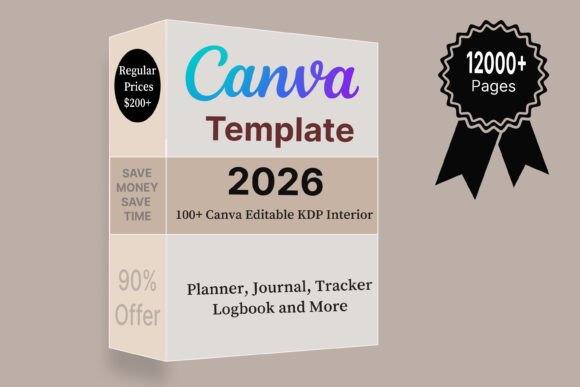
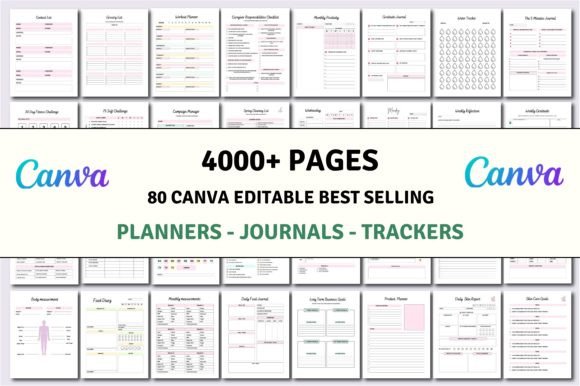
For creators, entrepreneurs, and publishers, the gap between a brilliant idea and a polished, market-ready product often comes down to one thing: production time. Designing hundreds of interior pages for a planner, journal, or logbook from scratch is a monumental task. This is where a comprehensive collection like the 80+ Editable Templates | KDP Interiors bundle transforms the workflow. It’s not just a set of static PDFs; it’s a dynamic, editable toolkit built for customization, offering over 4000 pages of ready-to-use interiors for a vast array of niches.
A Foundation for Every Niche: From Household to Entrepreneurial
The true strength of this collection lies in its depth and specificity. It moves far beyond generic notebook templates. Whether you're a publisher targeting the self-care market or a business coach creating branded materials, the range is staggering. You’ll find dedicated templates for a Household Planner, ADHD Planner, Shopify Store Planner, and Budget & Financial Planner. For personal development and wellness, there’s a Dream Life Self Care Journal, Law of Attraction Planner, Depression Therapy Journal, and a Mental Health & Anxiety Journal.
Entrepreneurs and marketers can leverage the Marketing Planner, Podcast Planner, Product Launch Planner, and Social Media Planner. The creative and practical needs are also met with templates like the Garden Planner, Kids Chore Charts, Meal & Cleaning Planner, Travel Planner, and even a 75 Soft Challenge or 365 Days Planner. This isn't a one-size-fits-all solution; it's a library designed to serve specific audiences with tailored content.
Editability is the Core Feature: Canva as Your Design Studio
A critical component that sets this resource apart is the delivery method. You receive high-quality, print-ready PDF files, but the real power is unlocked with the Editable Canva Links. This is where the 80+ templates become truly yours. Canva’s intuitive, browser-based platform means you don't need advanced design software to make significant changes. You can easily:
- Customize Typography: Change fonts to match your brand identity, swapping out the default typeface for a premium serif, sans serif, or script font that resonates with your target market.
- Modify Color Palettes: Adjust colors to align with your brand guidelines or create a specific mood, whether it's calming pastels for a self-care journal or bold, energetic hues for a productivity planner.
- Edit Content & Layouts: Add your own prompts, questions, or tracking fields. Rearrange elements, insert your logo, or delete pages that don't fit your vision.
This level of control is essential for creating a cohesive brand experience. A Skincare Planner you design for your beauty blog can share visual DNA with your Social Media Planner, reinforcing recognition across all customer touchpoints.
Practical Applications for Designers, Publishers, and Creators
Imagine you’re a small business owner launching a line of journals. Instead of commissioning hundreds of unique interior designs, you can start with the Blank Journal & Notebook and Self Journal templates. Using Canva, you create a signature style with a consistent header font, a subtle color accent, and your logo. This style can then be applied across other relevant templates in the bundle, like the Money Mindset Planner or Self Affection Journal, to quickly build a product line with a unified brand identity.
For content creators and bloggers, these templates are direct assets. A food blogger can use the Meal Planner template as a free download for email subscribers, customizing it with their blog's colors and a link to their recipe index. A marketing agency could use the Business Planner and Podcast Planner templates as the basis for client onboarding kits, adding their own proprietary frameworks and branding. The Cleaning & Decluttering Planner could be the cornerstone of a niche YouTube channel's community challenge.
Making It Your Own: A Guide to Effective Customization
To maximize the value of the 80+ Editable Templates | KDP Interiors bundle, approach it strategically.
- Define Your Audience First: Don't just pick a template because it looks nice. Start with who you're creating for. Are they busy parents needing a Meal & Cleaning Planner? Entrepreneurs focused on a Product Launch? Students managing coursework? Your audience dictates the template choice and customization direction.
- Test Font Pairings in Canva: The default fonts are a starting point. Use Canva’s vast library to experiment. Pair a clean, modern sans serif for headings with a highly readable serif for body text. For a more personal, creative product, a handwritten or script font for titles can add warmth, but ensure body text remains legible at small print sizes.
- Focus on Readability and Hierarchy: When editing, maintain clear visual hierarchy. Use bold or larger font sizes for section headers. Ensure there is sufficient contrast between text and background colors, especially for pages meant for writing or data entry. The goal is usability, not just aesthetics.
- Review Licensing for Commercial Use: This is a crucial step for anyone selling the final product. Confirm that the license included with the templates permits commercial use for the end product (the printed PDF you sell). This allows you to create and sell your customized planners and journals on platforms like Amazon KDP, Etsy, or your own website.
Ultimately, this collection of design assets is about accelerating your creative process without sacrificing quality or originality. It provides a professional, versatile foundation, allowing you to focus your energy on the unique value you bring—your content, your brand voice, and your connection with your audience. Whether you're building a publishing empire, enhancing your service offerings, or creating personal tools, having 80+ editable starting points is a formidable advantage in a crowded market.